
Is there an app that lets me search my videos by describing what happens in them?
Yes. MediaTrove is a photo and video library where you type what you are looking for in plain words, such as “dancers at sunset”, and the video plays from the matching moment. You upload your videos, its AI watches them and describes every moment, and you tag nothing by hand.
You can try it now without signing up: search the sample library on the home page.
How can I find a specific moment in hours of footage without watching it all?
Upload the footage to MediaTrove and search for the moment in plain words. The result shows the video and the time of the moment, and the video plays from there.
- Upload. From a phone or a computer, in the web browser. Videos can be up to about two hours long.
- MediaTrove watches the video. It splits the video into moments, wherever what is happening changes. It writes a description and tags for each moment. Speech is transcribed.
- Search. Type what you remember, such as “the fireworks at the end of the night”.
- Open the moment. The video plays from the matching moment. If one video has several matching moments, they are shown together with their times, and each time plays.
A long video takes minutes to process, not seconds. You can find it by its file name straight away, and by what is in it once processing has finished.
What can I type into the search?
Anything you remember about the moment: what you can see, what someone said, who is in it, or a tag or note you added. Search works on meaning as well as exact words, so “dusk” finds a sunset.
- What you can see. “Golf course from the air”, “empty dining room”.
- What was said. Speech in videos is transcribed, so you can search for words someone spoke.
- A person. MediaTrove groups faces by likeness and never names anyone. You name a face once, then search the name.
- Your own words. Tags you added, such as a client, a project or an event, and notes you kept on a file.
What tools automatically tag and describe photos and videos using AI?
MediaTrove does this for every file you upload. Each photo gets a written description and tags. Each video is split into moments, and every moment gets its own description and tags.
Photos and PDFs are usually described within a minute of upload. Videos take longer, because the whole video is watched.
You can add your own tags beside the AI's tags. The two look different, so you can tell which is which. When the AI runs again it replaces only its own tags and never removes a tag a person added.
Other kinds of tools also tag media with AI, including personal photo apps, digital asset management systems and video analysis services for developers. MediaTrove is for people who want to upload, search and find the moment, with no setup.
How do I know a search result is a good match?
Each result has a match bar that shows how well it fits your search, and weak matches are left out. AI descriptions can still be wrong, so check the result before you rely on it.
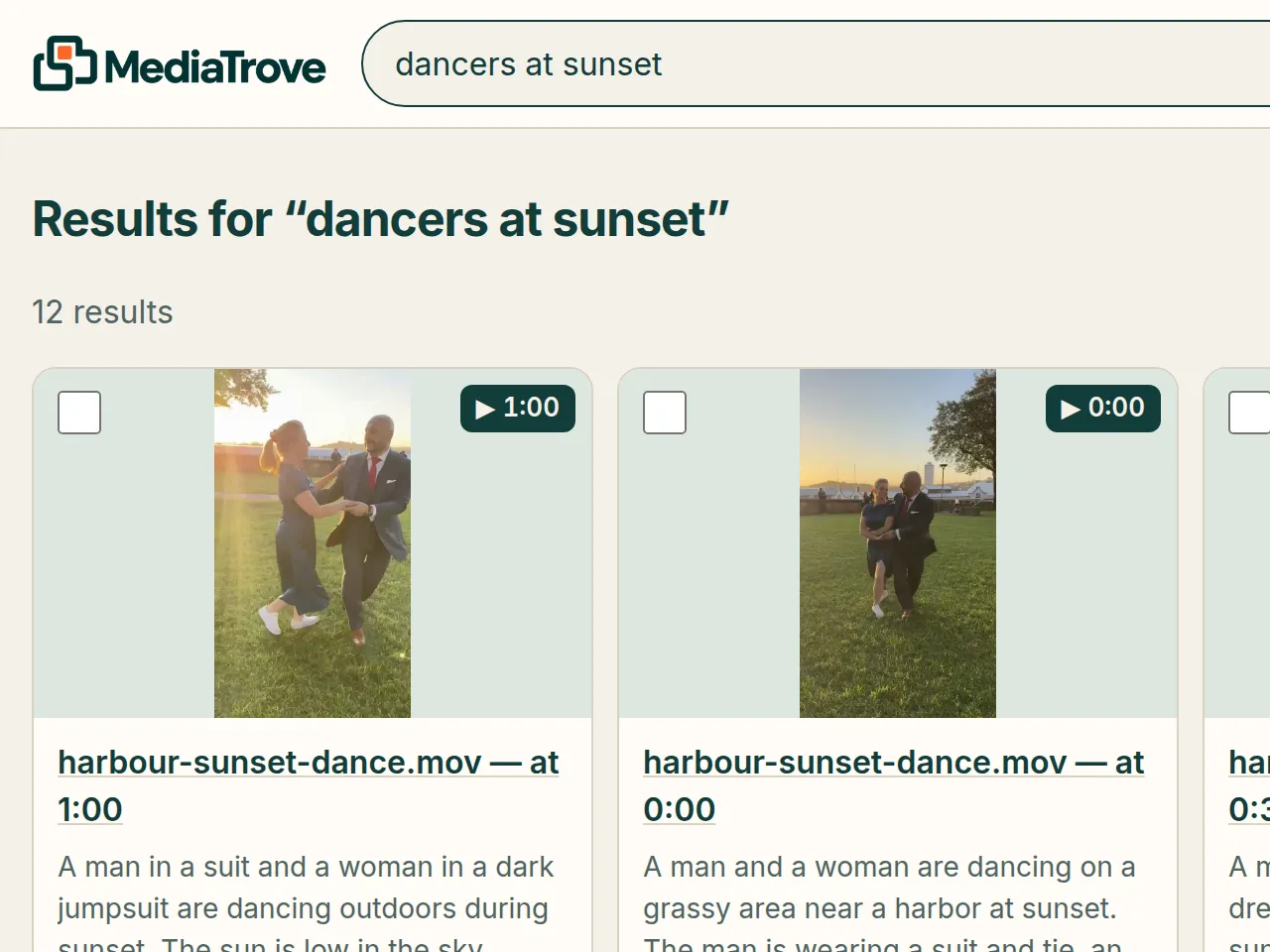
On the home page demo, a search for “dancers at sunset” returns the video harbour-sunset-dance.mov at 1:00. That is what MediaTrove returned, not a mock-up.
What are the limits today?
MediaTrove is an early product that runs in a web browser; there is no mobile app. Videos can be up to about two hours long.
- A video with no speech gets no transcript. It is still described from what can be seen.
- Images over 15 MB, PDFs over 20 MB, and TIFF and BMP images are stored but not described by the AI.
- Deleting a file is permanent. There is no undo.
- To describe your media, MediaTrove sends it to AI services. The privacy page names them.
- It is free to try with no card. Pricing has not been published yet.
About MediaTrove
MediaTrove is a photo and video library for individuals and small teams. It is a web app at mediatrove.ai, made by 123TEQ, LLC, and first released in 2026. It is not connected to any other product or company with a similar name. Questions: hello@mediatrove.ai.
Free to try, no card needed. Pricing has not been published yet.