
How can I find a specific moment in hours of video footage without watching it all?
Search the footage for what you remember instead of scrubbing through it. Upload the recording to MediaTrove: it analyzes the whole video, splits it into moments, describes each one and transcribes the speech. Then type what you remember, such as “the fireworks at the end of the night”, and the video plays from the matching moment.
Is there an app that lets me search my videos by describing what happens in them?
Yes. MediaTrove is a photo and video library where you type what you are looking for in plain words, such as “dancers at sunset”, and the video plays from the matching moment. You upload your videos, its AI analyzes them and describes every moment, and you tag nothing by hand.
You can try it now without signing up: search the sample library on the home page.
How long before I can search a long video?
Roughly a fifth of its running time: about 24 minutes for a two-hour recording. You can find the video by its file name straight away.
Videos can be up to about two hours long. Split anything longer before you upload it.
What should I type?
Whatever you remember: what you could see, what someone said, who was in it, or a tag or note you added. Search works on meaning as well as exact words, so “dusk” finds a sunset.
- Something said. Speech is transcribed, so a phrase someone spoke finds the moment they said it.
- Something seen. “Golf course from the air”, “empty dining room”.
- Someone. Name a face once, then search the name to see every moment they appear in.
A worked example, with numbers
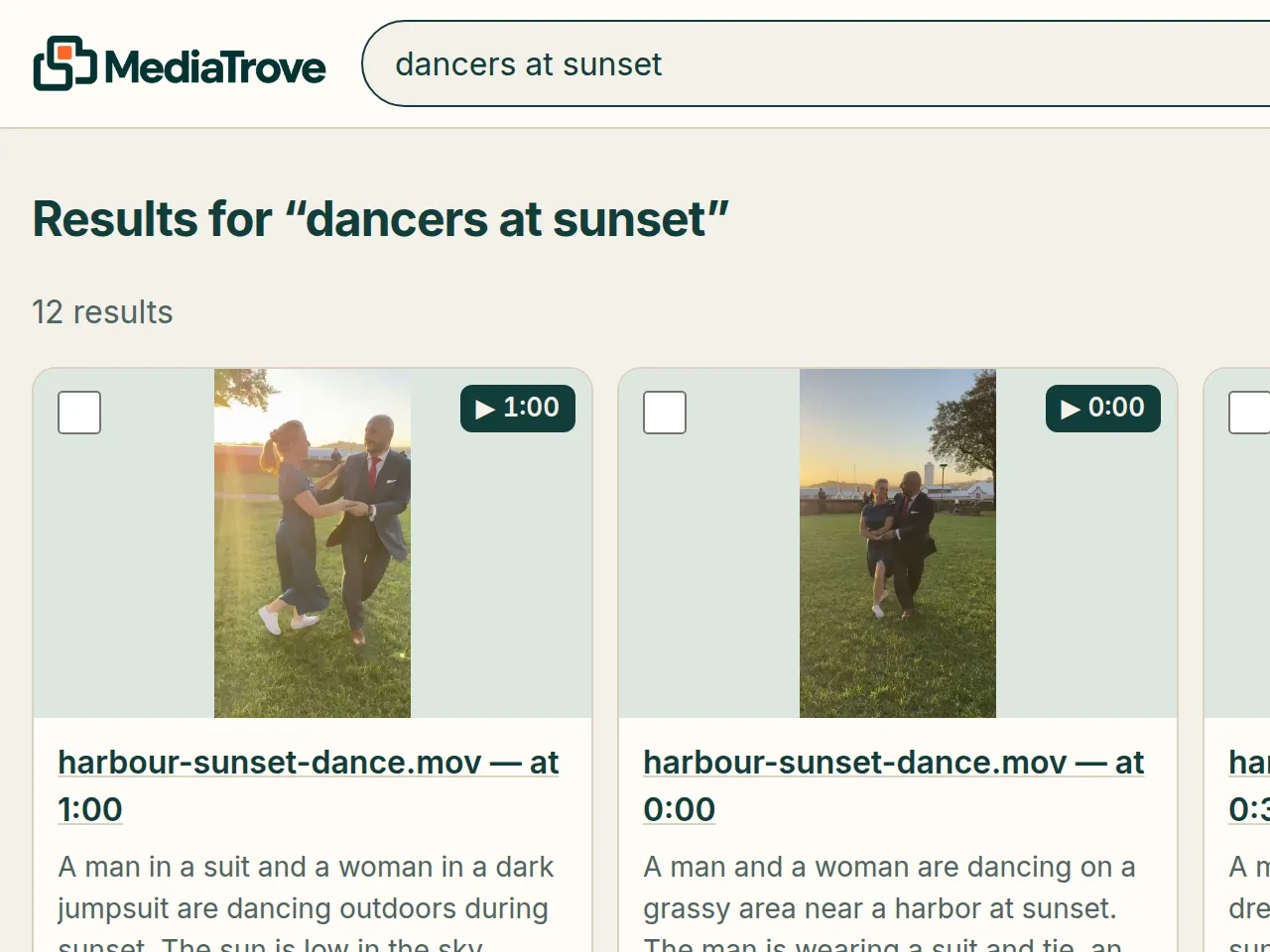
In our sample library, harbour-sunset-dance.mov is split into three moments, starting at 0:00, 0:30 and 1:00. Each has its own description and tags. In our demo video, a search for “dancers at sunset” lands on the 1:00 moment. Search the sample library to try it.
For long recordings, video time is what the plans count:
- The free trial includes 2 hours of video in total: one two-hour recording.
- Solo includes 10 hours of new video a month: five two-hour recordings. Team includes 30 hours, Studio 100.
- More video time is US$15 (A$21) for 10 hours, bought once. That suits a first upload of old footage.
Check your own numbers in the plan calculator.
What if the moment happens more than once?
Search shows one result per video and lists its matching moments with their times. Each time plays the video from that point.
What doesn’t MediaTrove do with long footage?
It doesn’t cut or export a clip. You find the moment and play it there; a download is the whole original file. It doesn’t work on live streams, only on uploaded recordings.
- A video with no speech gets no transcript. It is still described from what can be seen.
- AI descriptions can miss things or be wrong. Each result has a match bar, and weak matches are left out.
- It runs in a web browser. There is no mobile or desktop app.
- To describe your media, MediaTrove sends it to AI services. The privacy page names them.
Related guides
- What tools automatically tag and describe photos and videos using AI?
- How a school can keep event photos and videos organised and searchable
- All guides
About MediaTrove
MediaTrove is a photo and video library for individuals and small teams. It is a web app at mediatrove.ai, made by 123teq LLC, and first released in 2026. It is not connected to any other product or company with a similar name. More on the About page. Questions: hello@mediatrove.ai.
Free to try, no card needed. Plans start at US$9 (A$13) a month.